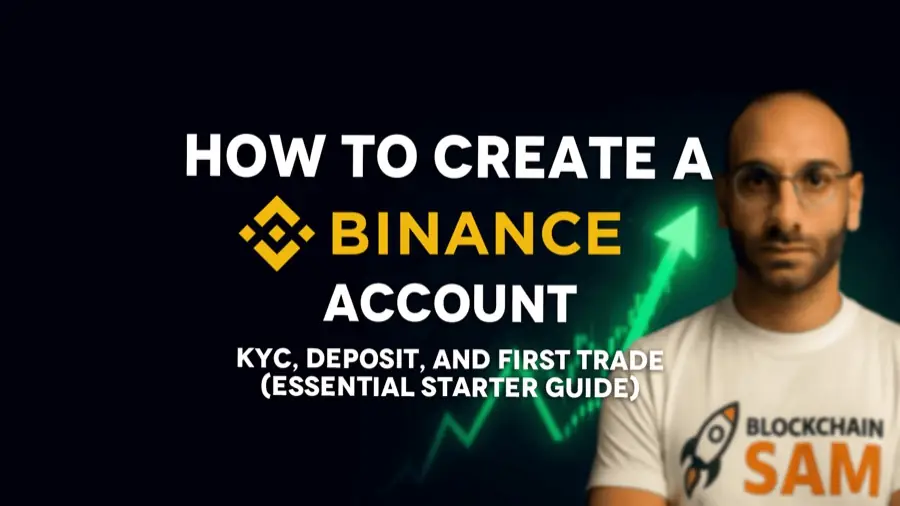
How to open a Binance account: sign-up, KYC, deposit and first trade
Your first real step into crypto, done safely. Create the account, lock it down, pass verification, add funds and place your first trade, step by step.

- Only sign up on the real binance.com or the official app. Phishing copies are everywhere.
- Turn on 2FA and an anti-phishing code right after sign-up.
- KYC needs a valid ID and a selfie check. It usually takes minutes to a few hours.
- For your first trade, use a market order with a small amount.
- سجّل بس على binance.com الحقيقي أو التطبيق الرسمي. نسخ التصيّد بكل مكان.
- شغّل الـ 2FA وكود مكافحة التصيّد دغري بعد التسجيل.
- الـ KYC بدّو هوية صالحة وفحص سيلفي. عادةً بياخد من دقايق لكم ساعة.
- بأول صفقة، استعمل أمر Market بمبلغ صغير.
Binance is the world’s largest crypto exchange and the gateway for millions of people. It can look intimidating at first, but the setup is easier than you think. Here is every step, from sign-up to your first trade.
01Step 1: Create your account
- Use the official site or app only. Type binance.com yourself or install the app from the official store. Never sign up through a link someone sent you.
- Tap Sign up and choose email or phone number.
- Create a strong, unique password you don’t use anywhere else.
- If you have a referral code, add it now. It can lower your trading fees. Mine is on the deals page.
- Enter the 6-digit code Binance sends to your email or phone.
02Step 2: Lock down your account
Do this before you deposit a single dollar:
- 2FA: turn on an authenticator app or a passkey. Avoid SMS-only security when you can.
- Anti-phishing code: set a word that appears in every real Binance email, so fake emails stand out.
- Withdrawal whitelist: once you use fixed addresses, allow withdrawals only to them.
03Step 3: Complete KYC verification
KYC (Know Your Customer) is required on every legitimate platform to prevent fraud and money laundering.
- Open Profile → Identification or tap the verification prompt.
- Choose your country and enter your details exactly as they appear on your ID.
- Upload a passport, national ID or driving licence. All four corners visible, no glare, text readable.
- Do the selfie check and follow the on-screen moves.
Approval usually takes from a few minutes to a few hours, and Binance emails you when it is done. Never let anyone else do your KYC or use your account. That is how people end up with frozen accounts.
04Step 4: Add funds
There are three common ways in:
| Method | Good for | Watch out for |
|---|---|---|
| Buy with card | Fast first purchase | Higher fees, some cards are declined |
| P2P | Paying in local currency or cash, common in Lebanon | Use verified merchants and never release crypto before you receive the money |
| Crypto deposit | Moving from another wallet or exchange | Pick the right network. See my deposit guide |
A simple first buy is USDT, a stablecoin pegged to the US dollar, so you can hold funds without the swings of bitcoin.
05Step 5: Place your first spot trade
- Go to Trade → Spot.
- Search for the pair, for example BTC/USDT.
- Choose Market for the simplest order. It buys right now at the best available price. A Limit order waits for the price you set.
- Enter how much USDT to spend, or use the slider, and tap Buy BTC.
- Check your balance in Wallet → Fiat and Spot.
06My golden rules
- Security first: 2FA and anti-phishing code before any deposit.
- Binance support will never DM you or ask for your password or codes.
- Start small, and never invest more than you can afford to lose.
- Keep learning before you try anything advanced like futures.
Account frozen or blocked? See exchange and AML cases.
Education only, not financial advice.
Binance هي أكبر منصة كريبتو بالعالم والبوابة لملايين الناس. بالأول ممكن تبيّن مخيفة، بس الإعداد أسهل مما بتفكّر. هون كل خطوة، من التسجيل لأول صفقة.
01الخطوة 1: افتح حسابك
- بس الموقع أو التطبيق الرسمي. اكتب binance.com بإيدك أو نزّل التطبيق من المتجر الرسمي. أبدًا لا تسجّل من رابط حدا بعتلك ياه.
- اكبس Sign up واختار إيميل أو رقم تلفون.
- اعمل كلمة سر قوية وفريدة ما بتستعملها بأي مكان تاني.
- إذا عندك كود إحالة، حطّو هلّق. ممكن يخفّف رسوم التداول. الكود تبعي على صفحة العروض.
- حط الكود المؤلّف من 6 أرقام اللي بتبعتو Binance عالإيميل أو التلفون.
02الخطوة 2: سكّر حسابك منيح
اعمل هالشي قبل ما تودّع ولا دولار:
- الـ 2FA: شغّل تطبيق مصادقة أو passkey. ابعد عن حماية الـ SMS لحالها إذا فيك.
- كود مكافحة التصيّد: حط كلمة بتطلع بكل إيميل حقيقي من Binance، هيك الإيميلات المزيّفة بتبيّن.
- لائحة السحب البيضا: لما يصير عندك عناوين ثابتة، اسمح بالسحب بس إلها.
03الخطوة 3: خلّص التحقق KYC
الـ KYC (اعرف عميلك) مطلوب بكل منصة شرعية لمنع الاحتيال وتبييض الأموال.
- افتح Profile ← Identification أو اكبس على طلب التحقق.
- اختار بلدك وحط معلوماتك متل ما هي بالظبط عالهوية.
- حمّل باسبور، هوية أو دفتر سواقة. الزوايا الأربعة باينين، بلا لمعة، والكتابة مقروءة.
- اعمل فحص السيلفي واتبع الحركات عالشاشة.
الموافقة عادةً بتاخد من كم دقيقة لكم ساعة، و Binance بتبعتلك إيميل لما تخلص. أبدًا لا تخلّي حدا تاني يعملك الـ KYC أو يستعمل حسابك. هيك الناس بتوصل لحسابات مجمّدة.
04الخطوة 4: حط مصاري
في تلات طرق معروفة:
| الطريقة | منيحة لـ | انتبه من |
|---|---|---|
| شراء بالبطاقة | أول شراية سريعة | رسوم أعلى، وبعض البطاقات بتنرفض |
| P2P | الدفع بالعملة المحلية أو كاش، منتشر بلبنان | استعمل تجّار موثّقين وأبدًا لا تحرّر الكريبتو قبل ما توصلك المصاري |
| إيداع كريبتو | نقل من محفظة أو منصة تانية | اختار الشبكة الصح. شوف دليل الإيداع |
أول شراية بسيطة هي USDT، عملة مستقرة مربوطة بالدولار، هيك بتمسك مصاري بلا تقلّبات البيتكوين.
05الخطوة 5: اعمل أول صفقة spot
- روح على Trade ← Spot.
- دوّر عالزوج، مثلاً BTC/USDT.
- اختار Market لأبسط أمر. بيشتري هلّق بأحسن سعر موجود. أمر Limit بيستنّى السعر اللي إنت بتحدّدو.
- حط قديش USDT بدك تصرف، أو استعمل الشريط، واكبس Buy BTC.
- شوف رصيدك بـ Wallet ← Fiat and Spot.
06قواعدي الذهبية
- الأمان أول: 2FA وكود مكافحة التصيّد قبل أي إيداع.
- دعم Binance أبدًا ما بيبعتلك رسالة خاصة ولا بيطلب كلمة سرّك أو أكوادك.
- بلّش صغير، وأبدًا لا تستثمر أكتر من اللي فيك تتحمّل تخسرو.
- كمّل تعلّم قبل ما تجرّب شي متقدّم متل العقود الآجلة.
حسابك مجمّد أو مسكّر؟ شوف قضايا المنصات والـ AML.
للتعليم فقط، مش نصيحة مالية.